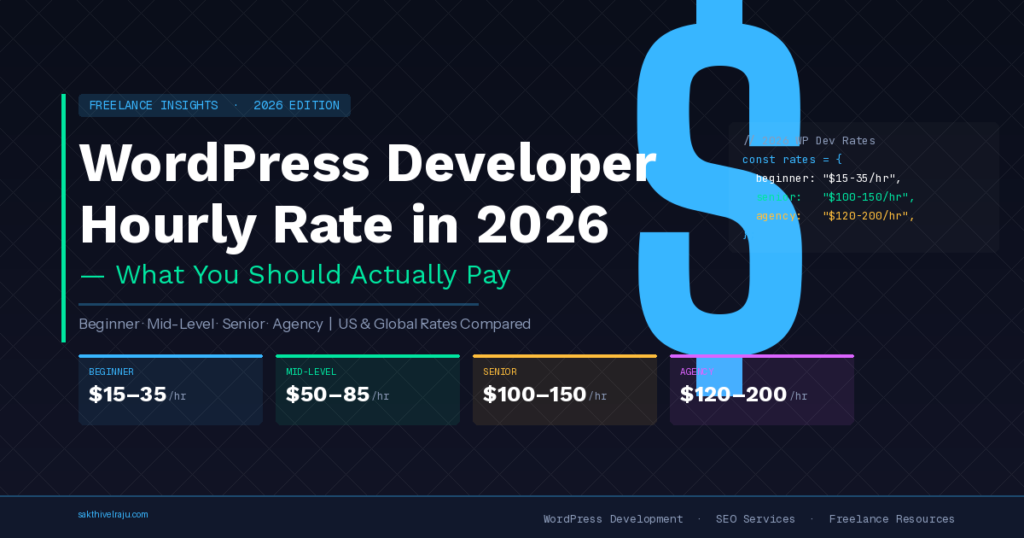
A complete breakdown of WordPress developer hourly rate by experience level, location, and project type — so you know exactly what’s fair before you hire.
If you’re looking to hire a WordPress developer, the first question that comes up is always: how much does a WordPress developer charge per hour?
The honest answer is: it depends — but not in a vague way. There are clear patterns based on experience level, location, and the type of work involved. This guide breaks it all down so you can budget accurately and spot both underbidding and overcharging.
Quick answer: WordPress developer hourly rates range from $15–$25/hour for junior developers to $75–$150+/hour for senior US-based specialists. India-based senior developers typically charge $35–$65/hour for equivalent expertise. Fixed project rates are usually better value than hourly billing for defined scope work.
WordPress Developer Hourly Rate — Quick Overview
The WordPress developer market is global and highly varied. You’ll find developers charging $10/hour on Fiverr and agencies quoting $200/hour for “senior WordPress architects.” Neither extreme tells you much about value.
Here’s a realistic overview of what the market looks like in 2026:
| Developer Type | Hourly Rate | Typical Quality | Best For |
|---|---|---|---|
| Fiverr / Very Junior | $10–$20/hr | Variable, often basic | Simple edits only |
| Junior Freelancer (WordPress Developer Upwork) | $20–$45/hr | Functional, minimal SEO | Small projects with low risk |
| Mid-Level India Specialist | $35–$65/hr | High quality, SEO-aware | Business websites, redesigns |
| Senior US/UK Freelancer | $75–$150/hr | High quality | Complex custom builds |
| US/UK Web Agency | $100–$250/hr | Variable — junior staff often | Large organisations, retainers |
The sweet spot for most businesses is a mid-to-senior India-based specialist at $35–$65/hour — or better, a fixed-price project. You get senior quality, full English communication, and significant cost savings vs. a US agency.
WordPress Developer Rates by Experience Level
Experience level is the strongest predictor of both rate and output quality. Here’s what to expect at each tier:
Junior WordPress Developer (0–2 years)
Typical rate: $15–$35/hour
Junior developers can install themes, configure plugins, and make template-based customizations. They typically lack deep WordPress PHP knowledge, SEO architecture understanding, and performance optimization expertise. Fine for very simple sites where you’re hands-on and willing to review every output carefully. Not suitable for business-critical websites.
Mid-Level WordPress Developer (2–5 years)
Typical rate: $35–$75/hour
Mid-level developers understand WordPress internals, can customize themes at a code level, configure page builders well, and handle most common build types. Their SEO knowledge is variable — some are strong, many treat it as a separate concern. Good for most standard business website builds.
Senior WordPress Developer (5+ years)
Typical rate: $65–$150+/hour (location-dependent)
Senior developers bring deep WordPress expertise — custom plugin development, complex WooCommerce builds, performance optimization, security hardening, and SEO architecture. They anticipate problems before they happen and understand how build decisions affect long-term site performance. For any project where the website is a core business asset, a senior developer’s higher rate pays for itself in avoided problems.
When comparing rates, always ask for live portfolio links and check those sites in PageSpeed Insights. A developer charging $100/hour but delivering sites scoring 40 on PageSpeed is not worth the premium. A developer charging $45/hour delivering 90+ scores is exceptional value.
WordPress Developer Hourly Rate by Location
Location significantly affects WordPress developer pricing — not because quality correlates with geography, but because cost of living differences create large rate variations for equivalent skill levels.
| Location | Junior | Mid-Level | Senior | Agency |
|---|---|---|---|---|
| USA | $30–$55/hr | $60–$100/hr | $100–$200/hr | $150–$300/hr |
| UK | $25–$45/hr | $50–$90/hr | $90–$160/hr | $120–$250/hr |
| Canada / Australia | $25–$45/hr | $50–$85/hr | $80–$150/hr | $120–$220/hr |
| India (Senior) | $15–$25/hr | $30–$55/hr | $45–$80/hr | $30–$80/hr |
| Eastern Europe | $20–$35/hr | $35–$65/hr | $60–$100/hr | $50–$120/hr |
The key insight: a senior WordPress developer in India charges roughly the same as a junior developer in the US — with significantly more experience. This is why thousands of US businesses choose to hire dedicated WordPress developers from India for their web projects every year.
Fixed Project Rates vs. Hourly Billing — Which Is Better?
For most website projects, fixed project pricing is better than hourly billing — for both the client and a reputable developer.
Here’s why:
- No billing surprises. Hourly billing creates anxiety about scope expansion. A 10-page website quoted at $50/hour with no fixed scope can balloon to twice the estimated cost if the developer is slow, encounters unexpected issues, or — less charitably — pads hours.
- Aligned incentives. Fixed pricing means the developer has an incentive to work efficiently. With hourly billing, slow work costs you more.
- Easier budgeting. You know your total investment before the project starts. This makes it easier to plan marketing spend, SEO budget, and other launch activities.
Hourly billing makes more sense for ongoing maintenance, small ad-hoc changes, and projects where the scope genuinely can’t be defined upfront. For a new website build, a redesign, or a WooCommerce store — always push for a fixed price.
| Project Type | Typical Fixed Rate | Hourly Equivalent |
|---|---|---|
| Starter website (5 pages) | $1,000–$2,000 | ~$45–$60/hr, 20–35 hrs |
| Business website (10 pages + SEO) | $2,500–$5,000 | ~$45–$65/hr, 50–70 hrs |
| WooCommerce store | $3,000–$8,000 | ~$50–$70/hr, 60–100 hrs |
| Website redesign | $2,000–$5,000 | ~$45–$65/hr, 40–70 hrs |
| Landing page only | $300–$600 | ~$45–$60/hr, 6–10 hrs |
| Speed optimization | $250–$500 | ~$45–$60/hr, 5–10 hrs |
| Ad-hoc hourly maintenance | N/A | $40–$65/hr (India senior) |
Elementor Developer Rates — What to Expect
Elementor Pro is the most widely used WordPress page builder, powering millions of websites. An Elementor developer who specialises in Elementor Pro typically commands a slight premium over a general WordPress developer — because Elementor expertise involves both visual design knowledge and technical understanding of how to configure it for optimal performance.
Common Elementor Pro tasks and typical rates:
- Elementor page design (per page): $100–$200/page fixed, or $45–$75/hour
- Elementor Pro theme builder setup: $200–$500 fixed
- Elementor WooCommerce customization: $300–$800 fixed
- Elementor speed optimization: $150–$350 fixed (Elementor-specific LiteSpeed config)
- Elementor popup and form setup: $100–$250 fixed
One important note: Elementor Pro requires proper LiteSpeed Cache configuration to achieve good PageSpeed scores. Many Elementor developers deliver visually good sites that score poorly on performance. Always check PageSpeed scores on a developer’s portfolio sites before hiring.
Frequently Asked Questions
How you clear cache in WordPress depends on your caching plugin. With LiteSpeed Cache (recommended): click the LiteSpeed icon in your admin toolbar and select “Purge All.” With WP Rocket: go to Settings → WP Rocket → Dashboard and click “Clear Cache.” With W3 Total Cache: go to Performance → Purge All Caches. If you’re not sure which caching plugin you have, check Plugins → Installed Plugins and look for any plugin with “cache” in the name. After making any changes to your site, clearing cache ensures visitors see the updated version.
For most business websites, yes — WordPress is significantly more powerful than Squarespace. WordPress gives you full ownership of your site, unlimited design flexibility, 60,000+ plugins for any feature you need, and much better SEO control (WordPress sites with proper optimization regularly achieve 90+ PageSpeed scores vs. Squarespace’s typical 60–75). The trade-off is a steeper learning curve — Squarespace is easier for complete beginners building a simple portfolio or brochure site. For any site where SEO, scalability, or custom functionality matters, WordPress is the better long-term choice.
Yes — wordpress is it free to download and use. The WordPress software itself is completely free. You download and use it at no cost. What you do pay for is web hosting ($3–$30/month), your domain name ($10–$15/year), and optionally premium themes or plugins for additional features. A basic WordPress website can run for as little as $60–$100/year in hosting and domain costs. A professionally built WordPress website with custom design and SEO setup typically costs $1,500–$4,000 as a one-time development investment, plus ongoing hosting costs.
The best free WordPress redirect plugin is Redirection by John Godley — free, reliable, with over 2 million active installs. It handles 301 and 302 redirects, tracks 404 errors, and provides a log of all redirects for troubleshooting. For sites that need bulk redirect management (like large migrations), Yoast SEO Premium and Rank Math Pro both include redirect management features. For most sites, the free Redirection plugin is all you need. Always use 301 redirects for permanent URL changes to preserve SEO ranking power on the new URL.
Summary — What to Pay for a WordPress Developer in 2026
The WordPress developer market offers enormous range — from $10/hour template installers to $250/hour agency rates. Neither extreme is what most businesses need.
The best value in 2026 is a senior specialist from India with 5+ years of WordPress, Elementor Pro, and SEO expertise — charging $35–$65/hour or fixed project rates of $1,500–$6,500 depending on scope. You get senior quality, direct communication, fixed pricing, and significant cost savings versus a US or UK agency.
Whatever route you choose, always check live portfolio sites in PageSpeed Insights before committing — it’s the single most revealing test of a WordPress developer’s real skill level.